
WhatsApp Automation
See How Your WhatsApp Automation Works
Watch the demo to see how AI-powered WhatsApp automation can help manage customer conversations, qualify enquiries and automate follow-ups.
Turn New Enquiries Into Sales Automatically
Connect your Facebook, Instagram, Google Ads, website and lead forms with AI-powered WhatsApp automation. When a new enquiry arrives, your AI chatbot can respond instantly, understand the customer's requirement, collect important details and continue the follow-up process automatically.
● Online & ready to help
How Many Leads Are You Losing Every Month?
You may already be spending money on advertising, but getting a lead is only the beginning. If the enquiry is not answered quickly and followed up consistently, the customer may contact another business.
❌ Traditional Lead Handling
- Lead arrives while your team is busy.
- Response may be delayed.
- Salesperson forgets to follow up.
- Customer asks the same questions repeatedly.
- Old enquiries remain untouched.
- Different salespeople handle leads differently.
- Business owner has little visibility into follow-ups.
✅ AI-Powered Lead Automation
- New enquiry can trigger an immediate automated response.
- AI chatbot can answer common questions 24/7.
- Lead details can be collected automatically.
- Follow-up workflows can continue after the first conversation.
- Interested prospects can be identified and prioritized.
- Sales staff can receive qualified opportunities.
- Business owners can track the customer journey.
Bring Leads From Everywhere Into One Follow-Up System
Your customers can discover your business from different channels. The goal is to bring those enquiries into an organized automated sales journey.
Facebook Ads
Capture enquiries from Facebook campaigns and move prospects into your automated conversation and follow-up process.
Instagram Ads
Turn Instagram interest into conversations, qualification and structured sales follow-up.
Google Ads
Convert search traffic into enquiries and continue the customer journey after the initial enquiry.
Website Leads
Connect website forms, chat and enquiry channels with your lead automation workflow.
From Advertisement To Sale — Automatically
Build an automated customer journey that works even when your sales team is unavailable.
🎯 Lead Arrives
Customer comes from Facebook, Instagram, Google, website or another connected source.
💬 Instant Response
The customer receives an automated response and can start a conversation.
🤖 AI Qualifies
AI can ask questions, understand requirements and collect useful lead information.
🔄 Follow-Up
Automated follow-up workflows can remind and engage prospects who have not yet purchased.
📈 Sales
Qualified prospects can be passed to your sales team for the next step toward conversion.
Everything You Need To Automate Customer Conversations
Use automation to reduce repetitive work and give every enquiry a structured customer journey.
AI Auto Replies
Respond to common customer questions automatically using AI-based conversations instead of making your team answer every basic enquiry manually.
AI WhatsApp Chatbot
Create conversational flows that can answer questions, guide prospects, collect information and move customers toward the next action.
Lead Qualification
Ask qualifying questions such as requirement, budget, location, service interest or preferred time before sending the opportunity to sales.
Automatic Follow-Up
Create follow-up sequences for new enquiries so potential customers don't depend entirely on a salesperson remembering to contact them.
Scheduled Messages
Schedule appropriate reminders, updates, appointment messages and other customer communications according to your workflow.
Lead Management
Organize customer information and conversations so your team can understand what happened before taking over the conversation.
Sales Team Handover
When a prospect is ready for human assistance, the conversation can be passed to your sales team instead of forcing the customer through automation.
Conversation Tracking
Monitor customer conversations, responses and lead activity to understand where prospects are in your sales process.
Business Messaging
Use business messaging workflows for appropriate customer updates, notifications, reminders and promotional communication where permitted.
Business Integrations
Connect your automation workflow with your CRM, forms, spreadsheets and other business systems where supported.
Appointment Automation
Help customers move from enquiry to appointment by automating scheduling questions, reminders and confirmation workflows.
Sales & Payment Journey
Guide customers from enquiry to product information, sales assistance and payment-related next steps as part of your overall workflow.
What Does This Mean For You?
Instead of personally checking every enquiry and reminding your sales team about every prospect, automation can handle repetitive parts of the customer journey while your team focuses on high-value conversations.
⏱️ Save Valuable Time
- Reduce repetitive customer replies.
- Automate common questions and information requests.
- Reduce manual lead-entry work.
- Give your team more time for serious prospects.
📈 Improve Lead Conversion Opportunities
- Respond faster to new enquiries.
- Keep prospects engaged after the first enquiry.
- Follow up systematically instead of relying on memory.
- Identify prospects showing stronger buying intent.
👨💼 Reduce Dependence On Manual Sales Work
- Standardize your initial customer communication.
- Make sure important questions are not forgotten.
- Give new salespeople a structured workflow.
- Keep customer conversations organized.
🌙 Keep Engaging After Business Hours
- Customers can receive automated responses outside office hours.
- Capture requirements when your team is unavailable.
- Start follow-up workflows without waiting for the next working day.
- Give prospects a faster customer experience.
Don't Stop At Lead Generation. Automate What Happens Next.
Advertising generates attention. Automation helps your business manage what happens after the enquiry.
Example: A Customer Sees Your Advertisement
Imagine a potential customer sees your Facebook or Instagram advertisement and submits an enquiry. Instead of allowing that lead to sit in a spreadsheet, your automation workflow can start the next stage of the customer journey.
The system can respond, ask qualifying questions, collect useful information, provide relevant details and initiate appropriate follow-up workflows.
When the customer shows buying intent or requires personal assistance, your salesperson can take over the conversation.
🎯 Customer clicks your advertisement
💬 Customer enters your enquiry journey
🤖 AI chatbot starts the conversation
📋 Customer requirement is collected
🔄 Follow-up workflow continues the conversation
👨💼 Salesperson receives a qualified opportunity
📈 Customer moves toward purchase
What Can Your AI Chatbot Handle?
Configure the chatbot around your actual products, services, FAQs and sales process.
Frequently Asked Questions
Answer common questions about products, services, pricing, locations, timings, availability and other business information.
Product & Service Information
Explain your offerings and help customers understand which option may match their requirement.
Buying Intent
Ask questions designed to identify customers who are more likely to need immediate assistance from your sales team.
Lead Details
Collect information such as name, requirement, location, company, budget or other fields relevant to your sales process.
Meeting Requests
Guide prospects toward requesting a meeting, callback or sales discussion when appropriate.
Follow-Up Reminders
Continue appropriate conversations with prospects according to your configured follow-up strategy.
Your Advertising Gets The Lead. Your Follow-Up Gets The Opportunity.
A successful lead-generation system is not only about getting more enquiries. It is also about responding, qualifying and following up consistently.
Without Automation
- Lead arrives
- Salesperson sees it later
- Response gets delayed
- Follow-up depends on memory
- Old leads are forgotten
- Owner has limited visibility
With AI Automation
- Lead enters the workflow
- Automated response starts the conversation
- AI can collect requirements
- Follow-up workflow can continue
- Qualified leads can be prioritized
- Sales team can focus on opportunities
One Automation Strategy. Many Business Applications.
Real Estate
Capture property enquiries, ask location and budget questions, share information and route serious buyers to your sales team.
Education & Coaching
Answer course questions, collect student requirements, share relevant information and follow up with interested prospects.
Clinics & Services
Handle common enquiries, collect basic appointment requirements and send appropriate reminders and updates.
E-Commerce
Assist customers with product questions, order-related conversations, offers and customer support workflows.
Agencies
Capture marketing enquiries, qualify prospects and automate initial sales communication before handing opportunities to consultants.
Local Businesses
Turn enquiries into structured conversations and follow up with customers who need additional information before making a decision.
Frequently Asked Questions
Can this work with leads from Facebook and Instagram?
Yes. Your lead-generation workflow can be connected to your automation process where the relevant platform integrations and permissions are available. The goal is to move new enquiries into a structured conversation and follow-up process.
Can I use it with Google Ads?
Yes. Google Ads can generate website or enquiry traffic, and your website forms, chat or other supported lead-entry methods can feed the automation workflow.
Can the AI chatbot answer customer questions?
Yes. You can configure the AI around your business information, products, services, FAQs and sales process so it can handle suitable customer conversations automatically.
Can it automatically follow up with new enquiries?
Yes. Follow-up workflows can be configured to continue communication with prospects according to your business process and applicable messaging rules.
Will my sales team still be required?
Yes. Automation is designed to handle repetitive communication and help qualify opportunities. Your sales team can take over when a customer needs human assistance or is ready for a sales discussion.
Can I track my leads?
Lead and conversation tracking can help your team understand customer activity and manage opportunities more systematically, depending on the modules and integrations enabled on your installation.
Stop Losing Leads Because Of Slow Follow-Up
Build a smarter customer journey where new enquiries can be responded to, qualified and followed up automatically — while your sales team focuses on closing the right opportunities.
/ features /
Smart Features for Smarter Conversations

AI Auto Replies
Instantly respond to customer queries and FAQs, even when you’re offline.
Personalized Messaging
Send offers, updates, and greetings tailored to each user.
Automated Reminders
Schedule payment alerts, booking confirmations, and follow-ups effortlessly.
/ integration /
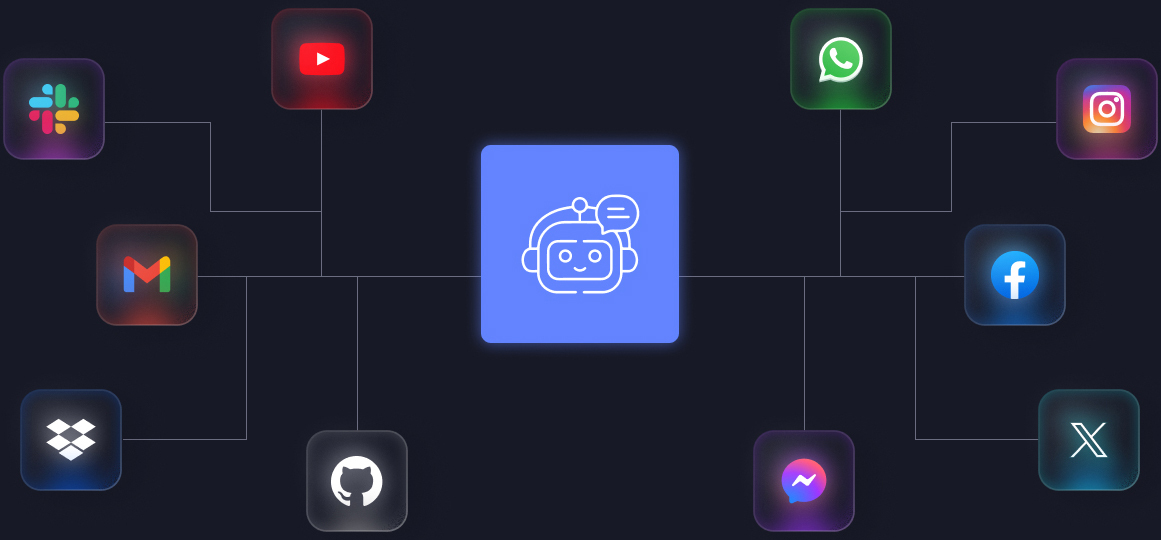
Multi-channel conversational Chatbot
/ how it works /
Empower your ideas
01.
Connect
Integrate your WhatsApp Business account or API with our automation system in just a few clicks.
02.
Automate
Set smart reply flows, reminders, and broadcasts that run automatically using AI.
03.
Engage
Start real-time, interactive conversations that drive leads, sales, and customer satisfaction.
04.
Analyze
Track performance, measure conversions, and improve engagement with powerful analytics.
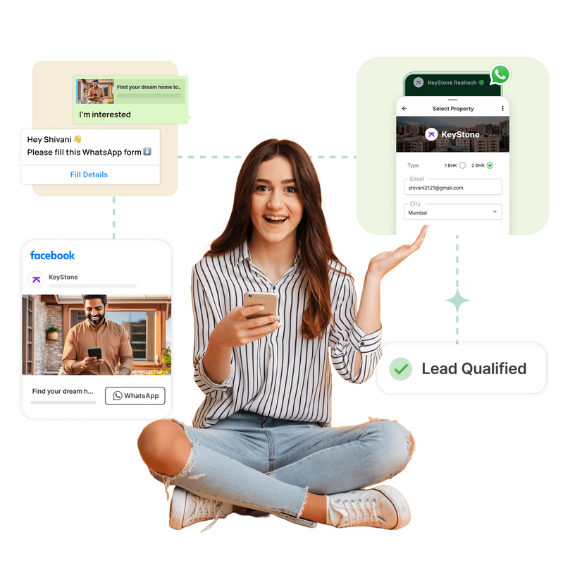
Turn WhatsApp Conversations Into a Complete Sales Workflow
When customer conversations are spread across phones, spreadsheets and personal notes, opportunities can easily be missed. A structured WhatsApp CRM brings customer context, ownership, follow-ups and conversation history into one operational workspace.
- Keep customer details connected with every conversation.
- Assign enquiries to specific sales or support employees.
- Use tags and stages to organize customers.
- Keep history available when a lead changes hands.
- Set next actions and follow-up reminders.
One conversation. One owner. One next step.
Your team can work from a common customer view instead of relying on disconnected personal devices and manual tracking.
- Centralized customer conversations.
- Lead ownership and assignment.
- Customer notes and tags.
- Sales-stage tracking.
- Follow-up management.
- Team collaboration.
Manage Multiple WhatsApp Workflows From One Organized Workspace
Businesses may use separate numbers for sales, support, departments, branches or different product lines. Organize those operations without repeatedly switching between devices and conversations.
Multiple Accounts
Organize supported business numbers and workflows in a centralized operating environment.
Team Assignment
Give the right conversation to the right salesperson, support executive or department.
Tags and Stages
Classify leads by product, source, location, priority, interest or sales stage.
Easy Handover
Move conversations between team members while keeping useful customer context available.
From New Enquiry to Follow-Up and Closing
Create a repeatable process around every serious WhatsApp enquiry. Instead of depending on memory, give every lead a clear stage and next action.
New Enquiry
Customer starts a conversation from an advertisement, website, referral or existing contact.
Qualify
Understand requirement, product interest and customer intent.
Assign
Route the opportunity to the appropriate employee.
Follow Up
Schedule the next conversation, reminder or sales action.
Close
Move the customer toward purchase, appointment, demo or payment.
Lead Qualification
Use questions and guided conversations to identify genuine requirements before assigning high-value enquiries.
Follow-Up Reminders
Keep future actions visible so quotations, callbacks, demos and pending decisions are not forgotten.
Pipeline Visibility
See how enquiries move from new lead to active discussion, pending follow-up and completed sale.
Automate Repetitive Questions With AI-Assisted WhatsApp Replies
Customers repeatedly ask about pricing, availability, features, delivery, timing, location, appointments and next steps. AI can assist with routine questions using the business information you provide, while complex conversations can move to a human agent.
AI Auto Replies
Respond to common enquiries quickly and keep customer conversations moving when the team is busy.
Business Knowledge
Use FAQs, product information, service details and policies as the foundation for automated assistance.
Human Handoff
Transfer conversations to the appropriate person when human judgment or personal attention is required.
Always-on first response
A customer can receive an acknowledgement and useful next step even outside normal working hours.
Automation with control
Use escalation rules for sensitive, complex or high-value conversations while keeping your team in control.
Build Customer Journeys With Visual WhatsApp Workflows
Create practical automation around the way your customers already communicate. Define a trigger, ask questions, provide options, collect information and route the conversation to the right destination.
- Welcome and first-response automation.
- Keyword-based triggers.
- Interactive menus and choices.
- Multi-step conversation journeys.
- After-hours responses.
- Automatic routing and escalation.
- Follow-up actions and reminders.
Example: Product Enquiry Journey
Help Your Team Reply Faster With Reusable Business Messages
Sales and support teams repeatedly answer similar questions. Keep useful responses, product information, quotations, instructions and follow-up messages organized for faster communication.
Quick Replies
Save common responses and insert them quickly.
Message Templates
Prepare structured messages for sales and support.
Scheduled Messages
Prepare planned reminders and follow-ups in advance.
Targeted Outreach
Organize communication around relevant customer groups.
Segmentation makes communication more useful
Separate new enquiries, existing customers, inactive leads, high-value customers, product-specific prospects and support cases.
Make WhatsApp Support Trackable and Organized
As message volume grows, a simple chat window becomes difficult to manage. Support teams need ownership, priority, status and visibility.
Track Conversations
Organize customer issues so requests do not get buried.
Priority and Assignment
Direct important conversations to the appropriate team.
Response Monitoring
Identify conversations that need immediate attention.
Support workflow
- Customer sends a support request.
- Conversation is identified and assigned.
- Agent responds with customer context.
- Routine questions are assisted by automation.
- Complex issues are escalated.
- Conversation is closed after resolution.
Useful support visibility
- Pending conversations.
- Agent workload.
- Response activity.
- Resolution activity.
- Conversation volume.
- Customer service trends.
Never Let a Promising Lead Become a Forgotten Follow-Up
Many customers need multiple conversations before they buy. Build a process so your team knows what needs to happen next.
New Lead
Capture the enquiry and understand the requirement.
Proposal
Share pricing, information or a quotation.
Reminder
Keep the opportunity active with planned follow-up.
Closing
Move the customer toward payment or purchase.
Every serious lead should have a next action
Combine customer tags, sales stages, reminders, quick replies, automation and conversation history.
What did the customer ask?
What should happen now?
Who is responsible?
One Automation Platform for Different Business Models
Adapt the same core WhatsApp workflow to sales, support, enquiries, appointments, recruitment, education, commerce and other operations.
E-Commerce
Product questions, orders, delivery updates and returns.
Manufacturing and Trade
Product enquiries, specifications and distributor follow-up.
Education
Course enquiries, admission questions and student support.
Healthcare
Appointment information, basic FAQs and reminders.
Professional Services
Qualify enquiries, schedule discussions and automate follow-up.
Recruitment
Candidate enquiries, screening and interview reminders.
Turn Customer Conversations Into Operational Visibility
Understand enquiry volume, team response activity, pending conversations and customer follow-up workload.
Useful operational insights
- Conversation and enquiry volume.
- Lead source and customer segments.
- Team and agent activity.
- Response and resolution patterns.
- Follow-up workload.
- Pending conversations.
- Campaign and messaging activity.
- Customer journey trends.
Connect the Journey From First Message to Long-Term Customer
Connect multiple small workflows into one consistent customer experience.
Attract
Bring prospects from ads, websites and referrals.
Engage
Welcome customers and answer common questions.
Qualify
Understand requirements and identify opportunities.
Convert
Support demos, appointments and purchases.
Retain
Continue support and relevant communication.
Better Experience
Customers receive faster acknowledgement and clearer next steps.
Better Productivity
Automation handles repetitive work for your employees.
Better Control
Leads, ownership and follow-ups become easier to manage.
A Complete Set of Tools for WhatsApp Business Automation
Combine the features you need instead of managing every process manually.
Conversation
Shared inbox, customer history, notes, tags and assignment.
Automation
Welcome flows, keyword triggers, replies, routing and escalation.
Sales
Lead stages, qualification, reminders and customer journeys.
Support
Issue tracking, priorities, routing and human escalation.
AI
AI-assisted replies and knowledge-based customer assistance.
Campaigns
Audience organization, templates and campaign workflows.
Team
Users, ownership, assignment, handover and team context.
Reporting
Activity, lead visibility, workload and pending actions.
WhatsApp Automation Questions
Common questions businesses ask before moving from manual WhatsApp handling to structured automation.
Can WhatsApp automation answer customer FAQs?
Yes. Automated replies and guided workflows can handle common questions about products, services, pricing, timing and location.
Can a customer speak to a real person?
Yes. Human handoff can be used when a customer requests an agent or personal attention is required.
Can multiple employees work on conversations?
Authorized employees can manage conversations with clear assignment and ownership.
Can customers be organized using tags?
Yes. Tags can classify customers by source, product, location, priority or sales stage.
Can follow-ups be scheduled?
Planned reminders and follow-up communication can be incorporated into the workflow.
Can automation work outside office hours?
Yes. Welcome messages, FAQs and after-hours responses can acknowledge customers when your team is unavailable.
Can it help sales teams?
Qualification, assignment, quick replies, reminders and history can create a consistent sales process.
Can it be used for customer support?
Yes. Support workflows can organize assignment, priority, response, escalation and resolution.
Is it useful for small businesses?
Yes. Smaller teams can automate repetitive questions and follow-ups.
Can sales and support use the same platform?
Yes. Separate teams, tags, stages and routing rules can support different departments.
Build a Smarter WhatsApp Workflow for Your Business
Bring customer conversations, AI assistance, team collaboration, sales follow-ups and support automation into one structured workflow.